
A simpler way to grow online
Online booking system for businesses
Set available days, times, duration, and price yourself. Customers choose a time and you track requests in your dashboard.

MADE FOR YOUR BUSINESS
Everything you need to get started
- Available time slots
- Public booking page
- Customer booking requests
- Booking management in the dashboard
A good fit for
Built to work for businesses like yours
YOUR WORKFLOW
How it works
You can complete each step yourself in Tarine. Screens shown here use sample information.
- 01STEP 1
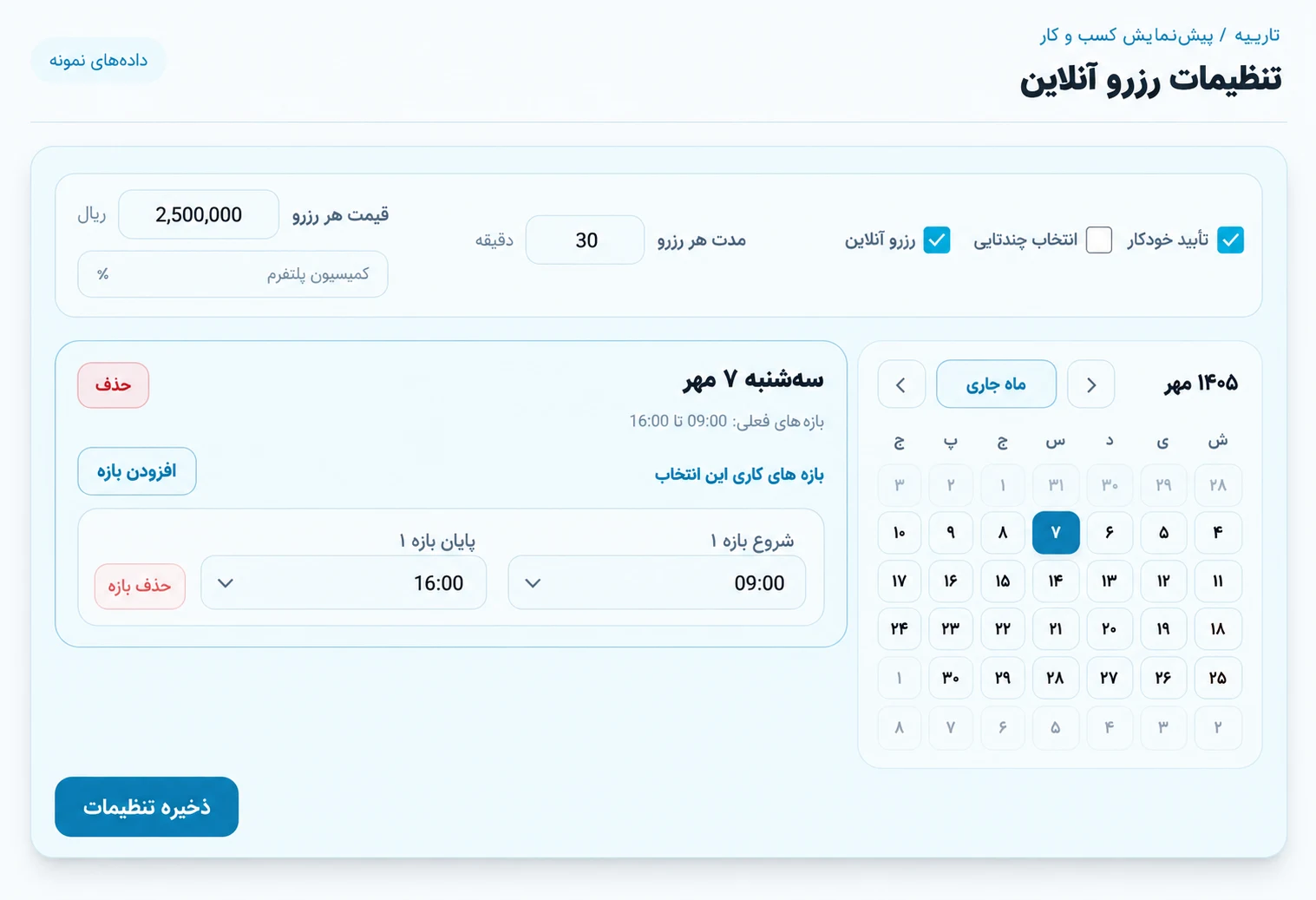
Set your availability
Define days, time ranges, duration, price, and confirmation preferences.
Tarine dashboard preview - 02STEP 2
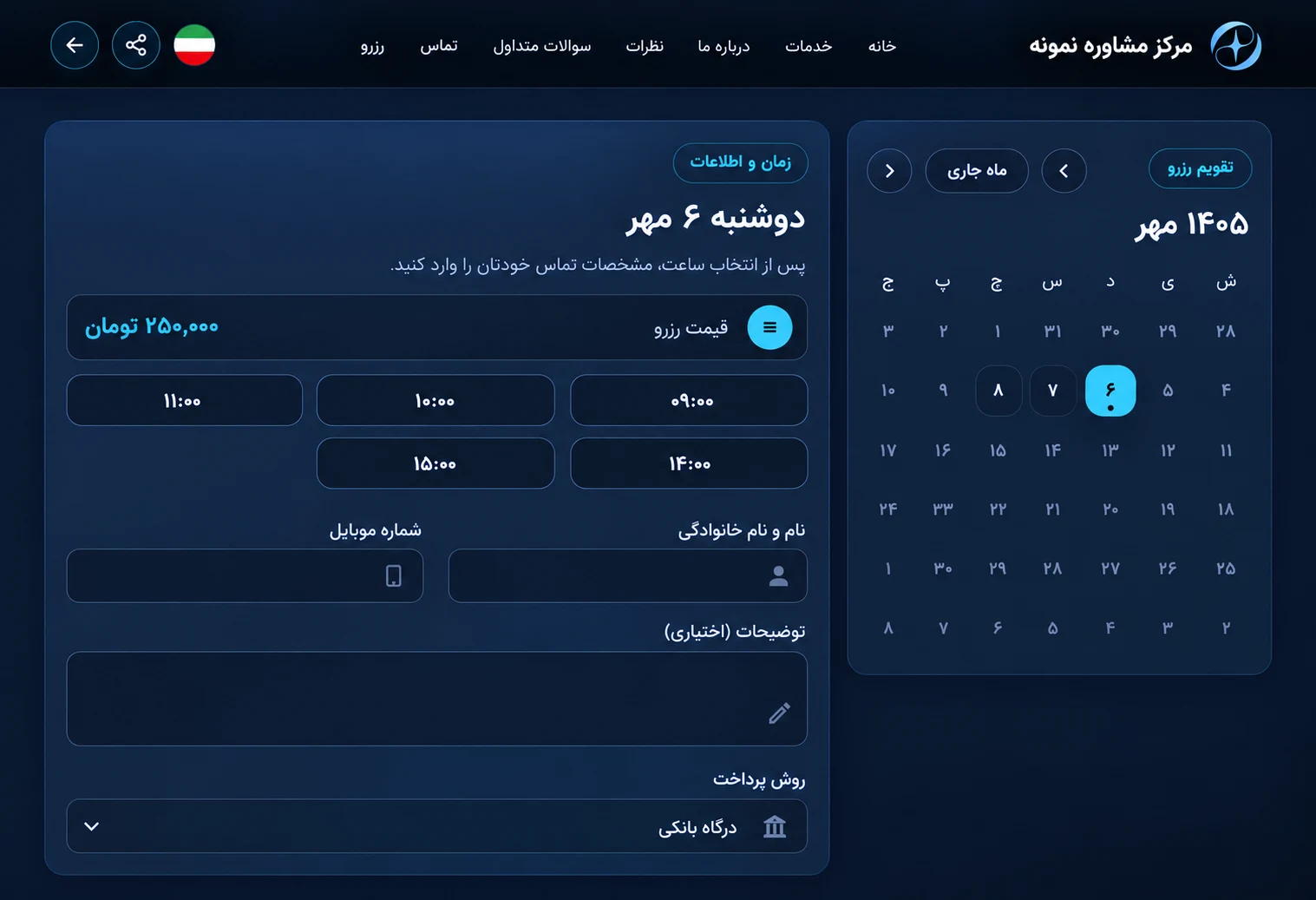
Customers choose a time and book
Share your booking link. Customers choose an available day and time, then enter their details to continue booking. Track requests and booking status in your business dashboard.
Tarine dashboard preview
GOOD TO KNOW
Frequently asked questions
A few helpful details before you begin.
How does a customer book?
They open the public booking page, choose an available time, and submit a request.
Can booking status be managed?
Yes. Bookings appear in the business dashboard for tracking and management.