
A simpler way to grow online
Launch an online store for your business
Manage your store from the dashboard. Add products, prices, and stock so customers can browse your storefront and place orders.

MADE FOR YOUR BUSINESS
Everything you need to get started
- Public product catalog
- Dedicated storefront
- Shopping cart and order placement
- Connection to your business profile
A good fit for
Built to work for businesses like yours
YOUR WORKFLOW
How it works
You can complete each step yourself in Tarine. Screens shown here use sample information.
- 01STEP 1
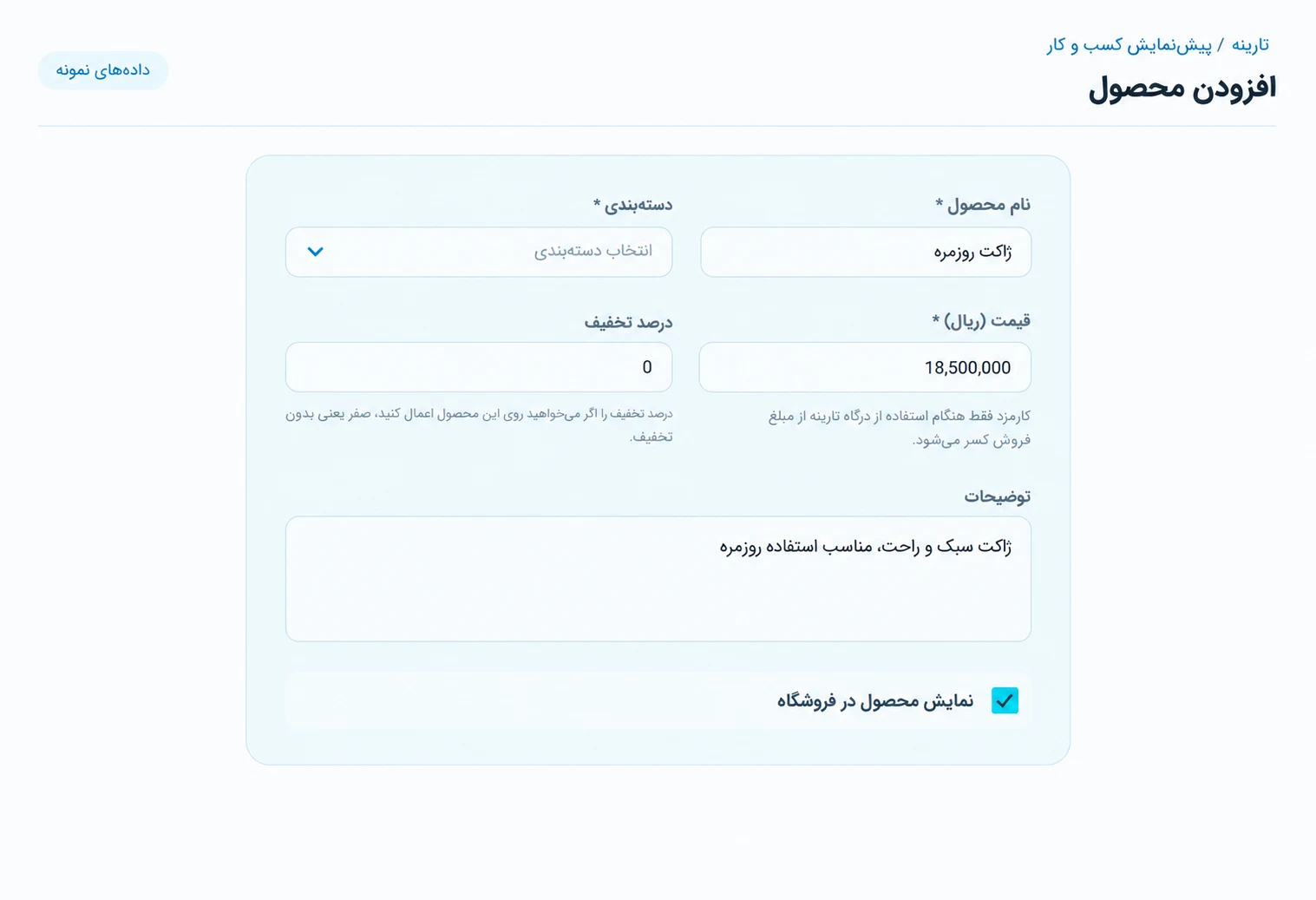
Add your first product
Open store management and enter product information, prices, stock, and images.
Tarine dashboard preview - 02STEP 2
Manage your catalog
Review products and update details, prices, stock, and visibility.

Tarine dashboard preview - 03STEP 3
Share your storefront
Share your store link. Customers browse products and place orders through the cart.

Tarine dashboard preview
GOOD TO KNOW
Frequently asked questions
A few helpful details before you begin.
How does an online store help?
It keeps products and sales information available and makes placing orders easier for customers.
Does the store have a public page?
Yes. Every active store has a shareable public Tarine page.